
Ember User Manual
Watch: How To Use Ember
QUICK TIPS
Charge First
Charge for 2.5 hours via USB-C before first use. The OLED battery icon shows a full charge when complete.
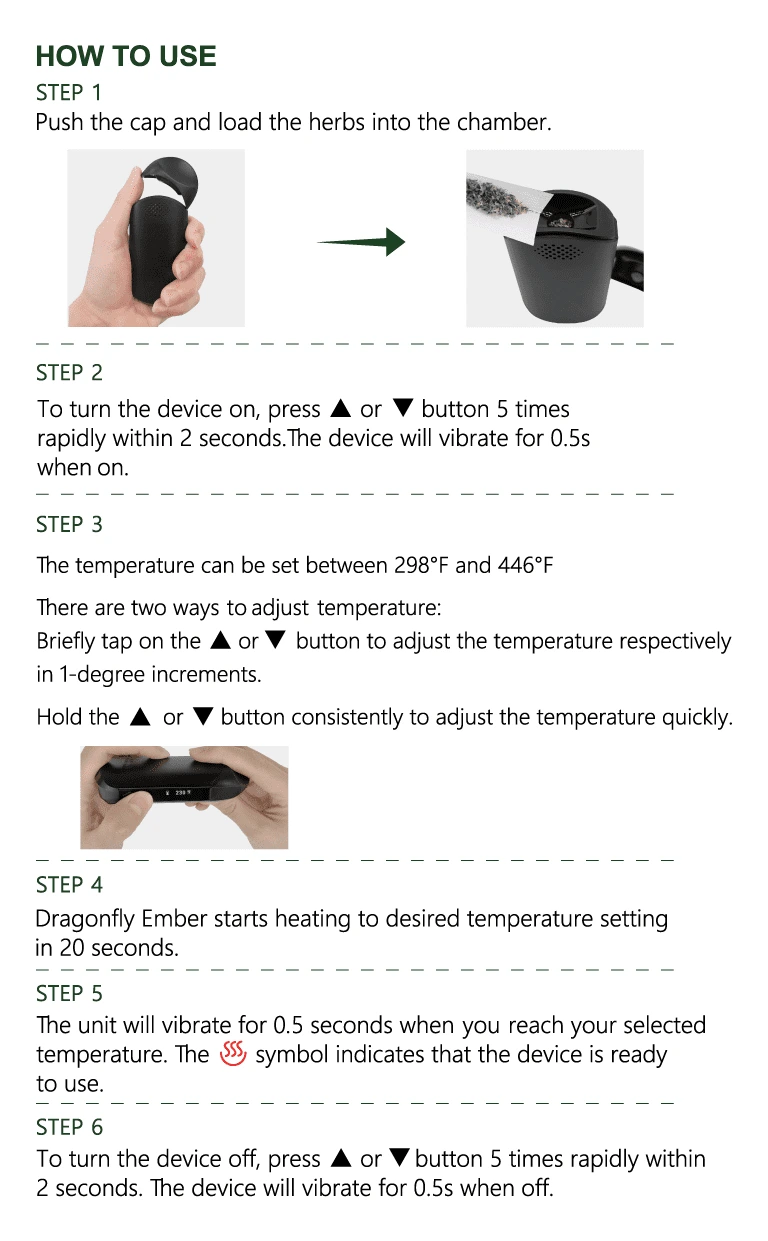
5-Click On/Off
Press ▲ or ▼ five times rapidly within 2 seconds to power on or off. The device vibrates to confirm.
20-Second Heat
The Ember reaches your target temperature in about 20 seconds. A vibration and heat icon confirm it's ready.
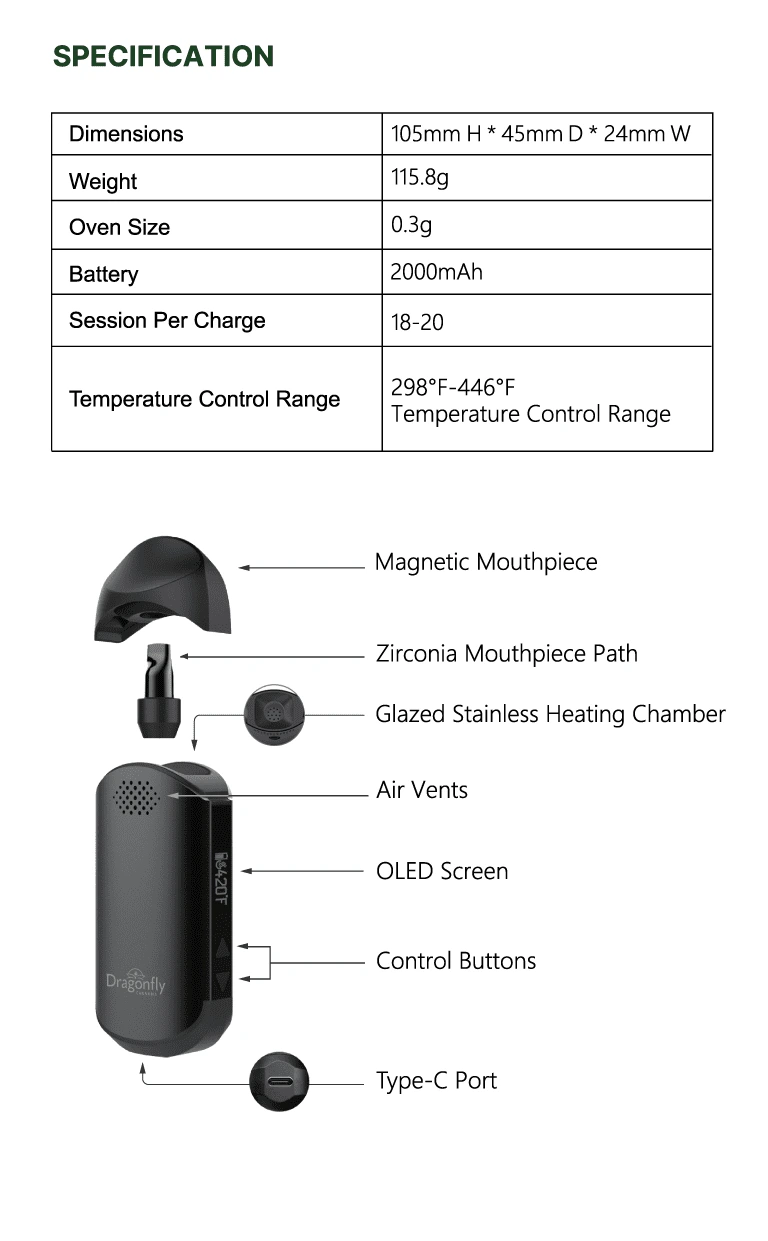
SPECIFICATIONS
2000mAh
Li-Ion Battery
298-446°F
Temperature Range
18-20
Sessions Per Charge
0.3g
Oven Capacity
115.8g
Weight
105mm
Height (45×24mm)
IN THE BOX
Dragonfly Ember
USB-C Cable
Cleaning Brush
Packing Tool
3× SS Screen (Chamber)
2× SS Screen (Mouthpiece)
Quick Guide
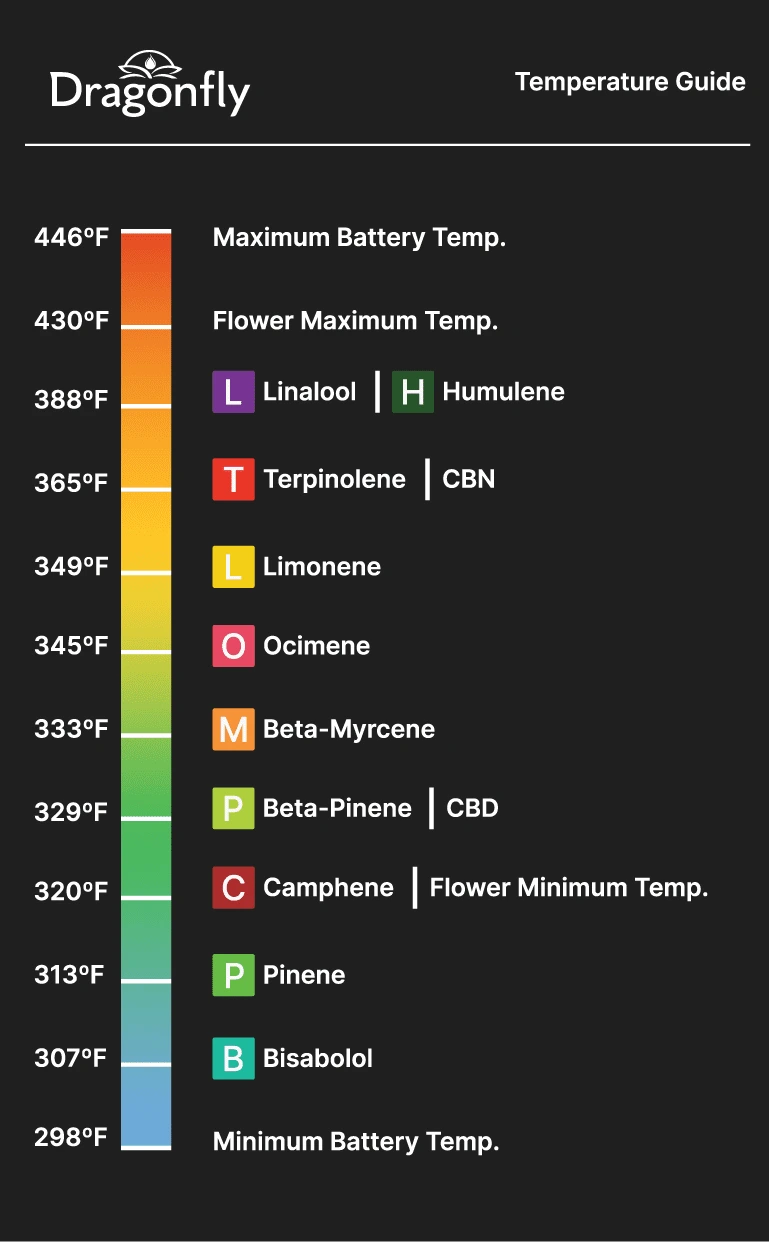
Temperature Guide
FREQUENTLY ASKED QUESTIONS
Charge the Ember fully via USB-C for approximately 2.5 hours before first use. The OLED display will show a full battery icon when charging is complete. Remove the magnetic mouthpiece, load ground herb into the glazed stainless heating chamber using the included packing tool, and replace the mouthpiece. Press ▲ or ▼ five times rapidly within 2 seconds to power on — the device will vibrate briefly to confirm. Set your desired temperature, and the Ember will reach it in about 20 seconds. A vibration and heat icon on the display let you know it's ready to use.